PWM flicker: what it is, how to test it, and what helps
Understand your display before deciding what to change.
Updated September 4, 2026
What Is PWM Flicker
Pulse-width modulation (PWM) is an electrical technique for controlling power delivery by rapidly switching a circuit on and off. In display hardware, it is used to control backlight brightness: instead of adjusting the actual current flowing through the LED backlight (which causes spectral instability), the display firmware switches the backlight on and off many times per second. The ratio of on-time to total cycle time, called the duty cycle, determines perceived brightness.
At 100% brightness: the backlight is on continuously (100% duty cycle, effectively DC operation).
At 50% brightness: the backlight switches on for half of each cycle, off for half.
At 20% brightness: the backlight is on for only 20% of each cycle, meaning it is off for 80% of the time.
The critical variable is frequency. At 60 Hz PWM, the backlight cycles 60 times per second, each cycle lasting roughly 16.7 milliseconds. At 200 Hz, cycles are 5 ms. At 1,000 Hz, cycles are 1 ms. The faster the frequency, the harder it is for the visual system to detect or respond to the flicker, even subconsciously.
The reason this matters: LEDs have extremely fast switching times, they can turn on and off in microseconds. This means a 200 Hz PWM display is producing genuinely discontinuous light, not a smooth dimming. Your room light, powered by 60 Hz AC current, also flickers, but transformer-driven fluorescent and incandescent bulbs smooth this considerably. Display backlights do not have this smoothing, making PWM flicker more abrupt and more physiologically salient than typical room lighting flicker.
What PWM flicker looks like
To the naked eye, usually nothing. Above roughly 90 Hz the screen appears steady, which is exactly why PWM goes unnoticed for years. It shows up indirectly. Move your eyes quickly across a bright cursor or white text on a PWM screen and you may see a trail of discrete afterimages instead of a smooth blur, a stroboscopic effect caused by the backlight being off for part of the eye movement. Wave your hand in front of the screen in a dark room and your fingers can appear as multiple frozen copies. And a phone camera pointed at the screen shows dark bands rolling through the preview. If you have noticed any of these, your display is a strong candidate for the tests below.
Why Displays Use PWM: The Engineering Tradeoffs
Display engineers adopted PWM dimming for several practical reasons that explain why it remains the dominant dimming method despite its drawbacks:
LED spectral stability. The most important reason: LED backlights change their spectral output when you vary the drive current. At low currents, white LEDs shift their color temperature and color accuracy degrades. Since displays are calibrated for accuracy at a specific operating current, reducing current to dim the backlight introduces color errors. PWM avoids this by keeping the LED at its optimal current and simply reducing how long it is on.
Simpler control circuitry. Generating a PWM signal is trivially simple in firmware, it requires only a timer and a digital output. Precise analog current control requires more complex circuitry, especially if it needs to track well across temperature and component variation. From a manufacturing cost standpoint, PWM wins.
Power efficiency. LEDs are most efficient at their rated current. Operating them at reduced current reduces efficiency as well as brightness. PWM-dimmed LEDs operate at full current (maximum efficiency) for the on-fraction of each cycle and draw zero power during the off-fraction. The net power consumption matches the duty cycle, but peak efficiency is maintained.
Historical momentum. PWM dimming was standard practice before the health implications were understood. Display supply chains, driver chips, and firmware have been built around it for two decades.
The alternative is DC dimming: directly reducing the LED drive current to achieve lower brightness. DC dimming is flicker-free by definition. Modern DC dimming implementations using precise constant-current drivers have reduced the color shift problem substantially, making DC dimming increasingly viable. Displays marketed as "flicker-free" use DC dimming or high-frequency PWM above 1,000 Hz.
Health Effects: Headaches, Migraines, and Eye Strain
The human visual system did not evolve for flickering artificial light sources. The retina and visual cortex process temporal changes in light, this is fundamental to motion detection and visual tracking. A flickering backlight provides a continuous subthreshold temporal stimulus that the visual system cannot fully habituate to.
Headaches from PWM Flicker
The primary mechanism linking PWM flicker to headaches involves the trigeminal system, the pain-signaling network most relevant to head pain. Visual cortex hyperactivation from repeated flickering stimuli can drive trigeminal sensitization, lowering the threshold for headache onset. This is particularly relevant for tension-type headaches that begin at the temples and forehead after sustained screen work.
The pattern is characteristic: headaches that worsen through the day, correlate with screen brightness reduction (as lower brightness means more severe PWM cycling), and improve on days away from screens. Users who notice their headaches worsen when they dim their screen, counterintuitively, since they're trying to reduce eye strain, are often experiencing PWM-related symptoms.
Migraines and Blue Light Headaches
Migraine sufferers are substantially more sensitive to visual flicker than the general population. The migraine brain is characterized by cortical hyperexcitability, neurons that respond more strongly and less adaptively to sensory input. Flickering light is a well-established migraine trigger, with fluorescent lighting being the most commonly reported artificial light trigger in clinical surveys.
Research by Wilkins and colleagues established that striped patterns and temporal flicker at certain frequencies (particularly 15-25 Hz) are maximally provocative for photosensitive individuals. PWM frequencies of 60-250 Hz fall above this range, but harmonic effects and eye-movement interactions can create lower effective frequencies during reading and scrolling.
Flicker at frequencies between 3 and 70 Hz can trigger photosensitive seizures in susceptible individuals. Above 70 Hz, seizure risk drops sharply, but flicker continues to drive subconscious visual system activation, pupillary light reflexes, and in some individuals, headache and eye fatigue up to several hundred Hz.
Wilkins AJ, Veitch J, Lehman B. LED lighting flicker and potential health concerns: IEEE standard PAR1789 update. IEEE Energy Conversion Congress and Exposition. 2010.
Eye Strain and Visual Fatigue
Eye strain from PWM flicker accumulates through two distinct mechanisms. First, the constant subthreshold visual stimulus creates ongoing neural processing load in the visual cortex, essentially your visual system cannot fully rest, even during steady fixation, because the light source is not steady. Second, PWM flicker interacts with saccadic eye movements (rapid eye jumps between fixation points) to produce a "stroboscopic" effect: because saccades last only 20-200 milliseconds, the backlight state at the beginning and end of a saccade may differ, creating perceived motion artifacts and transient blur.
The cumulative effect is an accelerated onset of visual fatigue, the sensation of tired, heavy eyes, difficulty focusing, and the urge to squint or rub the eyes that most screen workers recognize as "eye strain." Studies examining this in occupational settings have found that employees working under high-frequency flicker-free lighting report lower rates of visual discomfort and headaches than those working under low-frequency fluorescent alternatives.
Fatigue and Cognitive Effects
There is a less well-documented but plausible secondary effect: the subconscious cognitive load of processing continuous flickering stimuli may contribute to the cognitive fatigue often described after heavy screen sessions, the feeling of mental drain that exceeds what the work content alone would explain. This is distinct from the circadian fatigue caused by blue light at night, and may occur regardless of time of day or screen color temperature.
Who Is Most Affected
Sensitivity to PWM flicker exists on a spectrum. The majority of display users experience no conscious symptoms at frequencies above 100 Hz. However, several populations have substantially elevated sensitivity:
Migraine sufferers. This is the highest-risk group. Clinical research consistently shows that migraine patients have lower tolerance for visual flicker across a range of frequencies. If you experience migraines with visual aura, have a diagnosis of photophobia, or regularly get triggered by fluorescent lighting, you have a high prior probability of PWM sensitivity. See our condition page on blue light and migraines for more detail.
Post-concussion syndrome. Brain injury commonly produces photosensitivity and low tolerance for visual complexity and flicker. This includes sports concussions, motor vehicle accidents, and any head trauma. Displays that were previously fine may become uncomfortable or headache-inducing following a concussion.
Photosensitive epilepsy. While typical display PWM frequencies are above the 3-25 Hz range most associated with photosensitive seizures, individuals with this condition should use DC-dimmed or high-frequency displays as a precaution.
Individuals on certain medications. Stimulants, some antidepressants (particularly SSRIs), and certain anticonvulsants can alter visual cortex sensitivity. If you started a new medication and simultaneously developed screen-related symptoms, this interaction is worth discussing with your prescribing physician.
Users who prefer low brightness settings. This applies to everyone who uses low brightness: at low duty cycles (low brightness = high off-time per cycle), PWM flicker becomes more severe regardless of frequency. A display that is tolerable at 70% brightness may become symptomatic at 20% brightness. This is why software dimming at higher hardware brightness is the recommended approach for PWM-sensitive users. We cover this trap in detail in our guide to monitor brightness and eye strain.
How Much Flicker Is Too Much: Frequency and Modulation Depth
People often ask for a single safe frequency or an unsafe flicker percentage. Neither exists on its own, because risk depends on two variables together: how fast the light cycles (frequency) and how deeply it dips each cycle (modulation depth, sometimes called percent flicker). A backlight that dims from 100% to 90% each cycle is at 5% modulation depth. A PWM backlight that switches fully off each cycle is at 100%.
The most widely used reference is IEEE Std 1789-2015, the IEEE recommended practice for LED flicker. It defines a low-risk region that scales with frequency: for frequencies between 90 and 1250 Hz, keep modulation depth below 0.08 times the frequency. It also defines a stricter no-observable-effect level at 0.0333 times the frequency. Above roughly 1250 Hz, the standard applies no practical limit.
Worked through, that means:
- At 240 Hz, the low-risk limit is about 19% modulation depth (no-effect level: 8%).
- At 500 Hz, the low-risk limit is 40%.
- At 1,000 Hz, the low-risk limit is 80%.
Now the answer to "is 240 Hz PWM bad" becomes concrete. A 240 Hz PWM backlight at low brightness approaches 100% modulation depth, roughly five times the IEEE low-risk limit for that frequency. That is why plenty of users react to 240 Hz phone and monitor PWM even though 240 Hz sounds fast. The same 240 Hz with shallow modulation, or the same panel run at high brightness where the duty cycle is high, sits much closer to the low-risk region. Frequency alone tells you very little; frequency plus modulation depth at the brightness you actually use tells you almost everything.
IEEE Std 1789-2015 recommends that to reduce risk, luminance modulation should remain below 0.08 times the flicker frequency for frequencies between 90 and 1250 Hz, with no restriction above 1250 Hz.
IEEE Std 1789-2015: IEEE Recommended Practices for Modulating Current in High-Brightness LEDs for Mitigating Health Risks to Viewers.
PWM Frequencies by Manufacturer and Display Type
PWM specifications are not always prominently disclosed, but they have been measured by third-party reviewers for most current displays. Here is a representative summary based on published measurements:
Apple MacBook displays: Apple's Retina displays have used various PWM implementations across generations. The M1 Pro and M2 MacBook Pro 14" and 16" displays use ProMotion with high-frequency PWM that most users tolerate. Older Intel MacBook Pro models (2015-2019) used 200-400 Hz PWM at some brightness levels. The exact frequency varies by generation and brightness level and has not been consistently disclosed by Apple. For Windows laptops and a machine-by-machine way to check your own, see our laptop PWM flicker guide.
Dell UltraSharp U-series (U2722D, U3223QE, etc.): These professional monitors use DC dimming (flicker-free at all brightness levels). The P-series (P2722H, etc.) also uses DC dimming. Dell's gaming monitors (Alienware series) use PWM at various frequencies.
LG displays: LG's UltraFine 4K and 5K displays use flicker-free dimming. Many of LG's consumer monitors (GN, GP series) use PWM at 200-1,000 Hz depending on the panel tier. Higher-end IPS and Nano IPS panels tend toward higher frequencies.
Samsung: Samsung's Odyssey gaming monitors use 240 Hz PWM on many models. Their professional QD-OLED displays use DC dimming at high brightness but PWM at lower brightness, sometimes at 60 Hz.
ASUS ProArt: The ProArt PA series (PA278QV, PA32UCX, etc.) explicitly advertises flicker-free certification, using DC dimming. Gaming ROG and TUF Gaming monitors use PWM at various frequencies (200-1,000 Hz depending on the model).
BenQ: BenQ's GW series and PD professional series use flicker-free (DC) dimming. Their gaming Zowie and Mobiuz series use PWM, often at 120-360 Hz.
OLED smartphones and tablets: iPhone Pro models use ProMotion OLED with DC dimming at high brightness, switching to PWM at approximately 60-240 Hz below around 50% brightness. Samsung Galaxy S-series OLED panels have similar behavior. iPad Pro with OLED (from 2024) uses DC dimming at higher brightness levels. For why OLED panels behave so differently from LCD at low brightness, see our guide to OLED PWM flicker and eye strain.
Always verify specific model PWM data on RTINGS.com or DisplayNinja. Flicker-free certification is not universal across a manufacturer's lineup, and the same brand name may appear on both DC-dimmed and PWM-dimmed panels depending on the tier and production date.
How to Test if Your Monitor Uses PWM
There are three practical methods for checking PWM on your display, ranging from free and immediate to precise and technical. This is the short version; for five methods including slow-motion video and on-screen test patterns, use our full monitor flicker test.
The Smartphone Camera Test
This works because camera sensors integrate light differently than the human eye and can detect rapid switching that appears continuous to human vision:
- Open your smartphone's camera app in photo mode (not video mode, the image preview, not a video recording).
- Set your display to 20-50% brightness where PWM is most severe.
- Point the camera at the screen from 15-30 cm away.
- Slowly wave or pan the phone from side to side while watching the camera preview.
- Horizontal dark bands rolling across the camera image confirm PWM. No bands mean DC dimming or very high-frequency PWM.
This test is qualitative, not quantitative, it tells you whether PWM is present but not the frequency. At very high PWM frequencies (above ~500 Hz), bands may still appear but will be very narrow and fast-moving.
RTINGS.com Measurements
RTINGS.com publishes oscilloscope-measured PWM frequency and duty cycle data for most monitors and TVs they review. Search for your display model on RTINGS.com and navigate to the "Flicker" section. They report the exact PWM frequency, whether flicker is present, and at which brightness levels PWM activates.
DisplayCAL and Hardware Colorimeters
For users who need precise measurements, DisplayCAL (free software) combined with a compatible colorimeter (i1Display, Spyder, etc.) can measure PWM frequency and depth. This is the most accurate approach but requires dedicated hardware.
Note: High-frequency PWM above 1,000-2,000 Hz may not be detectable by the camera test and requires a colorimeter for measurement. Many displays marketed as "high-frequency PWM" use 2,000-20,000 Hz, where physiological effects are minimal for all but the most sensitive individuals.
Not All Screen Flicker Is PWM: Temporal Dithering and Other Sources
If your camera test comes back clean but your eyes still complain, PWM may not be the whole story. Displays have other sources of rapid light change worth knowing about.
Temporal dithering (frame rate control, or FRC). Many panels cannot natively show every color the operating system asks for, so they fake the in-between shades by rapidly alternating a pixel between two colors it can show. A 6-bit panel doing FRC to simulate 8-bit color flips millions of pixels every frame. This is not backlight flicker: it happens at the pixel level, so the camera band test usually does not reveal it, and it can be present on displays that are genuinely PWM-free. Some sensitive users report discomfort they attribute to dithering, though the evidence here is anecdotal and far thinner than for PWM. Both macOS and GPU drivers can apply dithering in software, which is why the same external monitor can feel different on different machines.
Ambient lighting flicker. Cheap LED bulbs driven straight from mains power can flicker at 100 or 120 Hz with deep modulation, and older magnetic-ballast fluorescents are a well-documented headache trigger. If symptoms persist across multiple screens, the room lighting deserves the same camera test you gave the display.
Backlight strobing modes. Gaming monitors offer motion blur reduction modes (ULMB, DyAc, ELMB) that deliberately strobe the backlight to sharpen fast motion. These are PWM by design, usually at the refresh rate. If you are flicker sensitive, leave these modes off.
The practical takeaway: a clean PWM test rules out the most common and best-studied problem, not every problem. If discomfort persists on a verified flicker-free display, check dithering behavior, the room lights, and the non-flicker causes covered in our screen eye strain guide.
Solutions: Eliminating or Minimizing PWM Flicker
Solutions exist at three levels: hardware selection, hardware settings, and software.
Hardware: DC Dimming Displays
The most complete solution for a PWM-sensitive user is a display that uses DC dimming throughout its brightness range. When selecting a monitor:
- Look for explicit "flicker-free" certification (TUV Rheinland Flicker-Free, DisplayHDR with flicker-free), this certifies DC dimming or high-frequency PWM at all brightness levels
- Verify on RTINGS.com or DisplayNinja before purchase, certification language varies and some "flicker-free" marketing refers only to specific brightness ranges
- For OLED displays, verify flicker behavior at your typical brightness setting, since many OLEDs use DC dimming at high brightness but PWM at low brightness
Hardware Settings: Optimal Brightness Range
If you have a PWM display you cannot replace:
- Keep hardware brightness at 50-80%. At higher duty cycles (more on-time per cycle), the energy delivered is less discontinuous, reducing the physiological effect even if the frequency is unchanged.
- Avoid using hardware brightness below 30%. This is where PWM becomes most severe (70%+ off-time per cycle).
- Use software dimming for brightness reduction below your hardware brightness floor.
High-Frequency PWM
Some displays use PWM at 2,000-20,000 Hz rather than traditional 200-400 Hz. At these frequencies, the flicker period (0.5-0.05 ms) is shorter than the integration time of the visual system, and physiological effects are negligible for essentially all users. Displays advertised with "high-frequency PWM" typically use this approach. Verify the specific frequency, "high-frequency" marketing language can cover a wide range.
Software Dimming: The Complete Flicker-Free Approach
Software overlay dimming operates on an entirely different principle: instead of modulating the backlight, it reduces the luminance values of the pixels in the image sent to the display. A pixel that would be rendered at full white (255, 255, 255) is rendered at a proportionally dimmer value. The backlight remains on at full current, no PWM cycling, no flickering.
The advantages of software dimming over hardware dimming for PWM-sensitive users:
- Zero flicker at all dimming levels (the backlight is always fully on)
- Fine-grained brightness control that complements hardware settings
- Can be combined with color temperature adjustment for both circadian and PWM protection
- Works with any display regardless of its hardware dimming method
The practical limitation: software dimming cannot achieve luminance levels below the display's minimum hardware brightness (since the backlight is always on). For users who need very dark screens, combining hardware dimming at a moderate setting with software dimming allows staying out of the severe PWM range while achieving lower overall brightness.
Should You Replace the Monitor or Fix It in Software?
This is the question most people actually arrive with, and the honest answer depends on when the discomfort shows up.
If the monitor bothers you even at moderate or high brightness, the panel itself is probably the problem. Software dimming will not rescue a display that flickers hard across its whole brightness range. If it is mostly uncomfortable when you dim it at night, software dimming is a reasonable thing to try before you spend money on new hardware. The more precisely you can describe the pattern, the easier the decision gets.
What to check before you buy a new monitor
- How brightness is actually controlled. Check whether the monitor uses PWM at all, and if it does, whether it only kicks in below a certain brightness. Some displays are fine above a threshold and rough below it.
- The brightness range you really use. A monitor that looks great in a bright office can be a poor fit for late evening work in a dim room. If you work at night, peak brightness matters less than whether the screen stays comfortable when the room is dark.
- Matte finish and glare control. Not every problem is PWM. Reflections and harsh contrast cause plenty of eye strain on their own, and swapping panels will not fix a lighting problem.
- Measured flicker behavior, not marketing copy. "Flicker free" appears on a lot of spec sheets that do not hold up under a camera test. Prefer displays with measured or well reviewed flicker behavior at the brightness you plan to use.
A sensible order of operations
Run the smartphone camera test above first, so you know whether PWM is even part of your problem. If it is, and the flicker only appears at low brightness, try raising the backlight and dimming in software before buying anything. If the flicker is present across the range, shortlist a replacement using the checks above and our guide to verifying a flicker-free monitor before you buy. Spending money is easier to justify once you can name the pattern.
How CircadianShield Reduces PWM Flicker
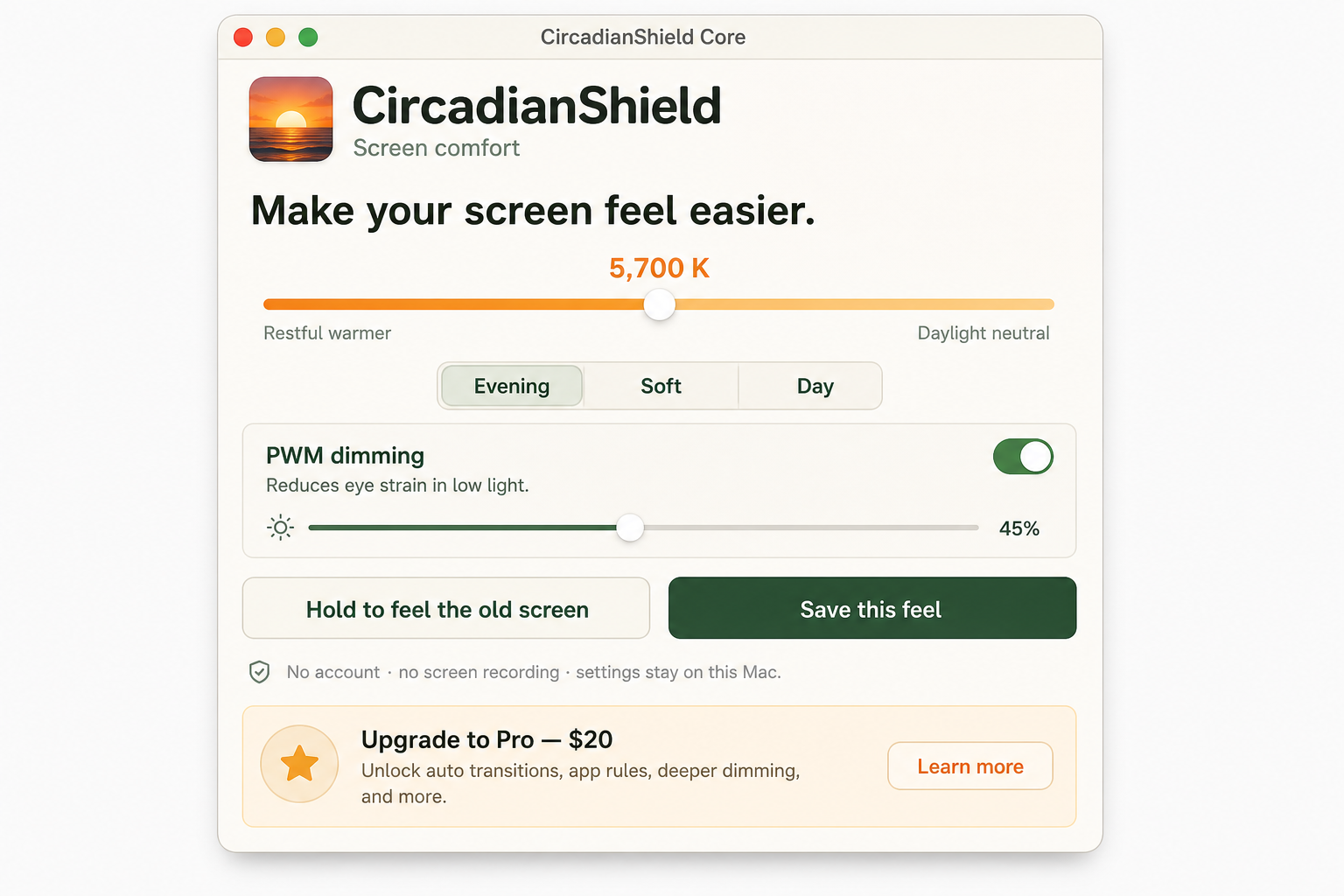
CircadianShield includes a dedicated software dimmer that uses a full-screen black overlay at configurable opacity. This is a software overlay approach: the operating system composites a semi-transparent black window over your entire screen, reducing perceived luminance without touching the backlight at all.
From the display's perspective, the backlight is always operating at full current, at whatever hardware brightness you have set. The visible dimming comes entirely from the overlay's opacity. This means:
- No PWM cycling from the dimming operation itself
- Works on Mac and Windows, with any display, regardless of the display's hardware dimming method
- Opacity can be adjusted continuously from 0% (no effect) to 85% (very dark)
- The dimming persists across screen wake, sleep, and display changes
The recommended configuration for PWM-sensitive users: set your hardware brightness to 100%, then use CircadianShield's software dimmer to bring brightness down to your comfortable level. You get the brightness you want without the severe low-duty-cycle PWM cycling that occurs at low hardware brightness settings. This matters most on Windows laptops, where low-brightness PWM is common and the built-in brightness slider bottoms out too high for dark rooms; our screen dimmer for Windows guide walks through that setup.
Core combines this dimmer with warmth control. CircadianShield’s full edition also includes solar-phased color temperature control, which independently addresses the circadian impact of screen blue light. These are two separate display problems addressed by the same app; the software dimmer is included in Core.
For a technical discussion of the different dimming mechanisms and when each applies, see our detailed blog post on PWM flicker and headaches. For the broader context of how screen settings affect eye health, see our guide to digital eye strain.
Related Conditions
PWM flicker interacts with several related conditions that affect screen-working individuals. Understanding the connections helps target interventions more precisely:
For related reading, see how PWM sensitivity usually shows up, how to run a full monitor flicker test, and how PWM behaves differently on OLED.
- Headaches from screens: See blue light and headaches for a detailed look at screen-related headache mechanisms including both PWM and spectral factors.
- Migraine-prone screen work: A cautious screen-comfort workflow at blue light and migraines, plus an FL-41-style screen filter option for reducing visual harshness.
- Digital eye strain: Comprehensive guide to all causes of computer eye strain at digital eye strain.
- Sleep disruption: If screen-related sleep problems accompany your headaches, see blue light and sleep.
Compare Solutions
If you're evaluating display software solutions for PWM and circadian protection, see how CircadianShield compares:
- CircadianShield vs. f.lux, software dimming and circadian features compared
- CircadianShield vs. Night Shift, why Apple's built-in solution misses PWM entirely
- CircadianShield vs. Iris, feature-by-feature comparison including software dimming
- CircadianShield vs. Blue Light Glasses, why hardware solutions do not address PWM