f.lux vs Windows Night Light (2026): Which Blue Light Filter to Use
Last updated: September 30, 2026. f.lux facts were read from justgetflux.com, its FAQ, its v4 release notes, its Corporate Edition page and its Microsoft Store listing, and Windows Night Light facts from Microsoft Support, all rechecked on September 30, 2026.
You have a Windows 10 or Windows 11 PC, the screen is too blue at midnight, and you have two free options: the Night Light switch that came with Windows, or f.lux, the app people have installed for years. This page is written by CircadianShield, which sells a third, paid option, so treat it as CircadianShield's own comparison rather than a neutral review. Every f.lux and Night Light claim below links to the page it came from.
Quick answer: f.lux vs Windows Night Light
- Pick Windows Night Light if you want zero setup, you are on a work PC where you cannot install apps, or one Strength slider on a sunset to sunrise schedule already looks right. It is built into Windows 10 and 11 at Settings, System, Display (Microsoft Support).
- Pick f.lux if you want more control: named presets down to 1200K, a schedule built around your wake time, automatic disabling for full-screen games and chosen apps, Alt-PgDn dimming hotkeys on Windows, and Philips Hue control (f.lux FAQ). It is free on Windows for personal use (justgetflux.com).
- Never run both. The f.lux FAQ tells Windows 10 users whose screen flickers at sunset to disable Windows Night Light.
- CircadianShield is the paid option: CircadianShield Pro is $47 one-time and CircadianShield Core is $27 one-time, each for up to 2 computers (current pricing and licence terms). f.lux already offers manual dimming on Windows. Consider Core for PWM protection or Pro for per-display control and a live melanopic EDI readout.
f.lux vs Windows Night Light vs CircadianShield: side-by-side table
This table puts f.lux, Windows Night Light and CircadianShield on the rows a Windows buyer actually checks. The f.lux column comes from justgetflux.com, the f.lux FAQ, the f.lux v4 release page and the f.lux Corporate Edition page. The Night Light column comes from Microsoft Support. CircadianShield feature details come from its product facts; prices, licence count and trial terms come from its current download page. The CircadianShield column describes Pro; Core covers warmth and PWM protection only. All were checked on September 30, 2026.
| Row | Windows Night Light | f.lux | CircadianShield |
|---|---|---|---|
| Price at home | Included with Windows | Free on Windows for personal use | Pro $47 or Core $27, one-time |
| Price at work | Included with Windows | Free version allowed with your employer's permission; Corporate Edition for IT-managed installs: $24 per device for the first 10, $12 per device from the 11th | Same one-time licence, up to 2 computers |
| Install | Nothing to install | Download from justgetflux.com or the Microsoft Store | Download from circadianshield.com |
| Platforms | Windows 10 and 11 | Windows, macOS, Linux | Windows 10+ and macOS 14+ |
| Color control | One Strength slider, no Kelvin figure published | Presets from 5500K Sunlight down to 1200K Ember | 6500K to 1800K across 11 twilight phases |
| Schedule | Sunset to sunrise, or set hours | Built around your usual wake time | Solar elevation at your coordinates, plus a morning blue boost at civil dawn |
| Full-screen games and video | No exception, the tint stays on | Can disable for full-screen movies and games, or chosen apps | Auto-disable in full screen and for color-accurate apps, plus Movie and Gaming modes |
| Dimming | None, brightness is a separate control | Manual dimming with Alt-PgDn and Alt-PgUp hotkeys on Windows | Software dimming in Pro |
| Smart lights | No | Philips Hue | No, display only |
| PWM flicker | No | No | PWM protection mode |
| Circadian readout | None | Circadian response shown when you change settings | Live melanopic EDI (CIE S 026:2018) |
| Known limit | Not available with DisplayLink or Basic Display drivers | IT-managed or company-recommended installs need the paid Corporate Edition | Not free after the 7-day trial, which needs a card |
Sources for this table: Microsoft Support on Night light, justgetflux.com, the f.lux FAQ, the f.lux v4 release notes, the f.lux Corporate Edition page, the f.lux Microsoft Store listing, CircadianShield feature facts, and current CircadianShield pricing and trial terms.
Where Windows Night Light beats f.lux
Windows Night Light wins on friction over both f.lux and CircadianShield, and for plenty of people that settles it. Microsoft added Night Light in the Windows 10 Creators Update in 2017, per the Windows Experience Blog, so every current Windows PC already has it. There is no app running in the tray, nothing to update and no separate licence to accept.
Setup is a few clicks. In Windows 11, Microsoft's steps are: select Start, Settings, System, Display, and turn on Night light. Then turn on Schedule night light and choose Sunset to sunrise, or Set hours for custom times, and move the Strength slider to adjust how much blue light it removes. You can also toggle it from Quick Settings on the taskbar. That is the whole feature (Microsoft Support).
Night Light also wins at work. On a managed laptop where IT blocks installs, it is the only choice, and it carries no licence question. f.lux is more nuanced: the f.lux FAQ says you can use the free version on a work computer with the knowledge and permission of your employer, if you have rights to install it yourself. When an employer recommends f.lux, IT installs it, or the company has regulatory requirements, f.lux calls that commercial use and points to its Corporate Edition, priced at $24 per device for the first 10 devices and $12 per device after that, with home automation features disabled. CircadianShield is not a workaround for a locked-down PC either, because it also has to be installed. CircadianShield's step-by-step Windows 11 Night Light guide covers the setup and the four common fixes.
Where f.lux beats Windows Night Light
f.lux beats Windows Night Light on control, in five specific ways that come straight from the f.lux documentation. None of them needs CircadianShield or any paid app.
- Warmer, named presets. The f.lux FAQ lists Ember at 1200K, Candle at 1900K, Warm Incandescent at 2300K, Incandescent at 2700K, Halogen at 3400K, Fluorescent at 4200K and Sunlight at 5500K. Microsoft publishes no Kelvin value for the Night Light Strength slider, so you cannot compare the two by number, only by eye.
- A schedule built around you. The f.lux v4 release notes ask for your usual wake time and build the evening schedule around it. Night Light only knows sunset, sunrise and the hours you type in.
- Games and movies. The same release notes say f.lux can disable itself when particular apps are running, or when you watch full-screen movies and play games. Night Light has no per-app exception. Yadullah Abidi at MakeUseOf put it plainly: with Night Light, if you play games or watch movies at night, expect a yellow tint on your screen.
- Dimming hotkeys. In Windows f.lux, the f.lux FAQ documents Alt-PgDn and Alt-PgUp to lower and raise brightness. Night Light never touches brightness.
- Smart bulbs. f.lux controls Philips Hue lights (f.lux v4 release notes), and MakeUseOf also reports YeeLight and LIFX support. Night Light only changes the display, and so does CircadianShield.
The same MakeUseOf review found f.lux changes color gradually, while Night Light "kicks in rather abruptly". That is one reviewer's experience rather than a measurement, but it matches why people who notice the switch at sunset tend to move to f.lux.
The f.lux and Windows Night Light trade-offs most comparisons skip
f.lux and Windows Night Light both have downsides that a fan page leaves out, and CircadianShield has a few of its own, listed at the end of this section.
Running both makes your screen flicker. f.lux and Night Light fight over the same color output. The f.lux FAQ answer to "My Windows 10 computer flickers at sunset" is to disable Windows Night Light. Pick one.
f.lux at its warmest can look washed out. On the f.lux forum thread comparing Night Light and f.lux, a long-time user said very warm f.lux settings made everything more and more washed out, while Night Light at its warmest kept the same visual clarity. The same user later found version 4.97 "less washed out" than 4.84, and that turning off the f.lux setting "Use GPU for better quality with warm colors" fixed the washed-out look, although leaving it on made some details easier to see. If f.lux looks muddy to you, try that setting both ways before giving up on it.
Night Light can vanish on docks and adapters. Microsoft says Night light is not available if your device uses certain drivers, like DisplayLink or Basic Display, and suggests updating the display driver when the toggle is grayed out (Microsoft Support). Fix the driver first. Swapping to f.lux or CircadianShield does not repair a missing graphics driver.
Brightness control differs. Warming color and lowering intensity are different things. f.lux dims through manual hotkeys, Night Light does not dim at all, and neither addresses PWM backlight flicker. CircadianShield's own trade-offs are just as real: it costs money where the other two are free for home use, it does not control smart bulbs, it is not open source, and its 7-day free trial on Mac and Windows needs a card up front.
Does Windows Night Light work, and is f.lux good for your eyes and sleep?
Windows Night Light, f.lux and CircadianShield all work at the job they claim: they shift the screen toward warmer colors on a schedule. Microsoft describes Night light as reducing blue light, and the f.lux presets are published in Kelvin. What none of the three can claim is a proven sleep or eye outcome for you.
The evidence behind the whole category is about light, not apps. In a randomized crossover study, Chang et al. (2014, PNAS) had people read on a light-emitting eReader or a printed book for four hours before bed. The eReader condition suppressed evening melatonin and delayed circadian timing by roughly 1.5 hours. That study tested eReaders, not f.lux, Night Light or CircadianShield, so it supports reducing bright, blue-heavy evening light in general rather than any one product. These are wellness tools, not treatments for insomnia or any eye condition.
For eye comfort, a warmer and dimmer screen from f.lux, Night Light or CircadianShield may feel easier in a dark room, mostly because it narrows the brightness gap between the display and the room. It does nothing for glare, dry eyes from infrequent blinking, or close focus. If your eyes feel worse as you turn brightness down, that points to PWM flicker, which f.lux and Night Light do not address. Run the CircadianShield screen flicker test before you buy anything.
Where CircadianShield fits next to f.lux and Windows Night Light
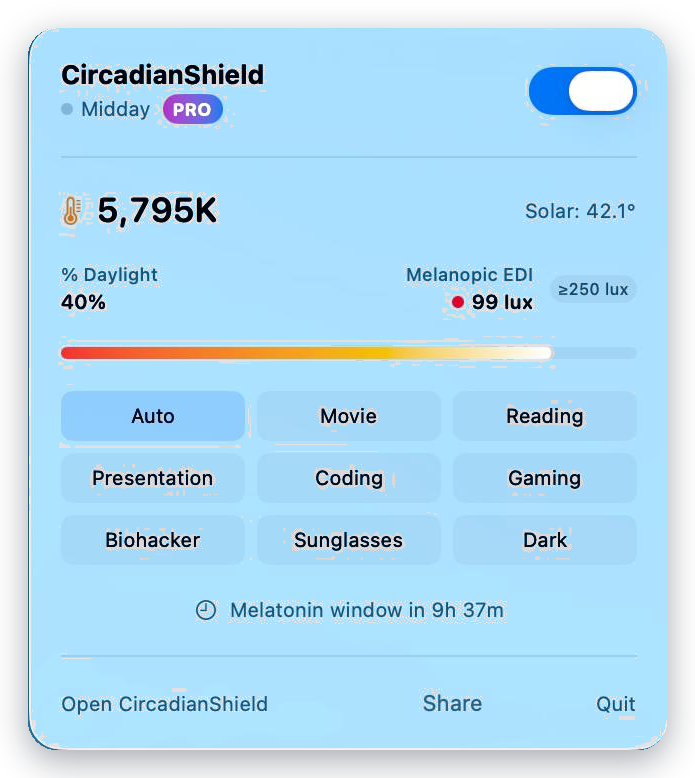
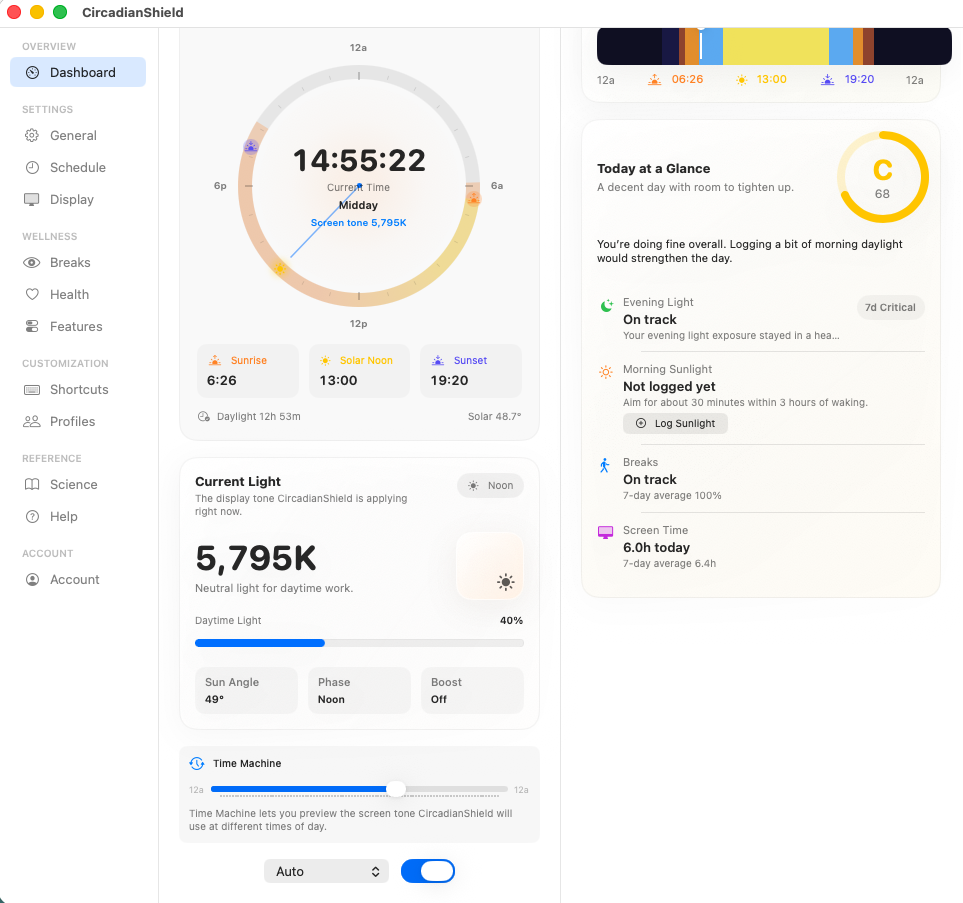
CircadianShield is for the person who already tried f.lux or Windows Night Light and can name the thing that is still missing. According to CircadianShield's product facts, CircadianShield runs on Windows 10 and later and macOS 14 and later, and adds:
- Software dimming in Pro, for a screen that is still too bright at the lowest hardware brightness. f.lux also offers manual Windows dimming hotkeys. The screen dimmer for Windows guide explains when dimming, not color, is the real problem.
- PWM protection, which holds hardware brightness higher and dims the image in software. It cannot help a panel that flickers even at full brightness; only flicker-free hardware fixes that.
- Per-display control for up to 8 monitors, where Night Light has one Strength setting for the system.
- 11 twilight phases from 6500K to 1800K computed from solar elevation, plus a morning blue boost at civil dawn, where f.lux and Night Light only think about the evening.
- A live melanopic EDI readout under CIE S 026:2018. The f.lux v4 release notes say f.lux shows a circadian response when you change settings; Night Light shows nothing.
CircadianShield Pro is $47 one-time and CircadianShield Core, which covers warmth and PWM protection, is $27 one-time, each for up to 2 computers with free updates. The 7-day free trial works on Mac and Windows, card required, $0 for 7 days; cancel before day 8 and you are not charged, and the trial key stops working. If you do not cancel, you are charged once and the key becomes lifetime. See the current pricing, licence and trial terms. Screen filtering and health scoring run on your machine and no screen content or personal data leaves it. The app does send optional anonymous usage and technical diagnostics, which you can switch off in Settings.
If you want a wider field than these three, CircadianShield's roundup of six f.lux alternatives, including LightBulb and Iris covers the free and open source options, and every CircadianShield comparison sits on the compare hub.
Which should you use: f.lux, Windows Night Light or CircadianShield?
Match your situation to a row. f.lux and Windows Night Light win most of them, and CircadianShield only wins where the free tools stop.
| Your situation | Best choice | Why |
|---|---|---|
| Work PC, no installs allowed | Windows Night Light | Built in, no licence question |
| You just want a warmer screen after sunset | Windows Night Light | A few clicks of setup, nothing running in the tray |
| You game or watch films at night | f.lux | Disables itself for full-screen games and movies |
| You want it much warmer than Night Light goes | f.lux | Presets down to 1200K Ember |
| You want your Hue lights to follow the screen | f.lux | The only one of the three with Philips Hue control |
| Screen still too bright at the lowest brightness | f.lux or CircadianShield Pro | f.lux has manual dimming hotkeys; Pro also offers software dimming |
| Headaches that get worse as you dim | CircadianShield Core or Pro | PWM protection, after you test the panel for flicker |
| Laptop and monitor that never match | CircadianShield Pro | Per-display control |
f.lux vs Windows Night Light FAQ
Is f.lux better than Windows Night Light?
f.lux is better than Windows Night Light if you want control: presets down to 1200K, a schedule built from your wake time, automatic disabling for full-screen games and chosen apps, Alt-PgDn and Alt-PgUp dimming hotkeys on Windows, and Philips Hue control. Windows Night Light is better if you want nothing to install, you are on a managed work PC, or one Strength slider on a sunset schedule already feels right. Both are free for home use. CircadianShield, the paid option, makes sense if you need PWM protection, per-display control or a live melanopic EDI readout.
Can I use f.lux and Windows Night Light at the same time?
No, run one. Both f.lux and Windows Night Light change the same display color output, and the f.lux FAQ tells Windows 10 users whose screen flickers at sunset to disable Windows Night Light. The same rule applies if you try CircadianShield: switch off Night Light and quit f.lux first.
Is f.lux free on Windows 11?
f.lux is free on Windows 11 for personal use, according to justgetflux.com, and its Microsoft Store listing is titled as a free download. At work, the f.lux FAQ allows the free version with your employer's permission, but installs that an employer recommends or IT manages need the f.lux Corporate Edition, priced at $24 per device for the first 10 devices and $12 per device from the 11th, which activates once per machine and disables the home automation features. Windows Night Light costs nothing extra because it ships with Windows. CircadianShield Pro is $47 one-time for up to 2 computers, and CircadianShield Core is $27 one-time.
Can I use f.lux on a work computer?
Yes, with the knowledge and permission of your employer, according to the f.lux FAQ, as long as you have rights to install software yourself. If your employer recommends f.lux, IT installs it for you, or the company has regulatory requirements, f.lux treats that as commercial use and sells the Corporate Edition for Windows at $24 per device for the first 10 devices. Windows Night Light needs no permission because it is part of Windows. CircadianShield also has to be installed, so it is no help on a locked-down PC.
Is f.lux legit and safe?
Yes, f.lux is a legitimate app. It is distributed from justgetflux.com or its Microsoft Store listing, and you accept the f.lux EULA when you download it. The practical risk is not malware but conflict: do not run it alongside Windows Night Light or another color app such as CircadianShield.
Does Windows Night Light actually work?
Windows Night Light does what Microsoft says it does: it shifts the display toward warmer colors on a sunset to sunrise or custom schedule, with a Strength slider. It does not dim the screen, has no per-app exceptions, and is not available on devices using certain drivers such as DisplayLink or Basic Display. Whether a warmer screen helps your sleep is a separate question that neither Night Light, f.lux nor CircadianShield has been shown to settle for you personally.
Does f.lux help with sleep?
f.lux may help by reducing blue-heavy screen light in the evening, which is the mechanism studied by Chang et al. (2014, PNAS): reading on a light-emitting eReader for four hours before bed delayed circadian timing by roughly 1.5 hours compared with a printed book. That study tested eReaders, not f.lux, Windows Night Light or CircadianShield, so it supports the mechanism rather than a proven outcome for any app. None of these apps is an insomnia treatment.
Is f.lux actually good for your eyes?
f.lux, like Windows Night Light, may make late-night screen work more comfortable, mostly because a warmer, dimmer screen sits closer to the light level of a dark room. It is not an eye treatment. It does not fix glare, infrequent blinking, close focus or PWM backlight flicker. If your eyes feel worse as you lower brightness, test for flicker first; CircadianShield includes a PWM comfort mode for that case, and f.lux and Night Light do not.
Why is Windows Night Light greyed out when f.lux still works?
Microsoft says Windows Night Light is not available on devices using certain drivers, like DisplayLink or Basic Display, and recommends updating the display driver if the toggle is grayed out. Install the graphics driver from your PC or GPU maker, restart, and check again before assuming you need f.lux or CircadianShield.
Is there a Windows Night Light for Mac?
Windows Night Light is Windows only. The Mac equivalent is Night Shift, built into macOS, and CircadianShield's Night Shift breakdown covers what it does and misses. f.lux is free for macOS as well as Windows, and CircadianShield runs on macOS 14 and later and Windows 10 and later, with one licence covering up to 2 computers across both.
Is f.lux still worth it on Windows 11 in 2026?
f.lux is still worth it on Windows 11 if the Night Light switch annoys you in games and films or does not go warm enough. It remains free on Windows for personal use per justgetflux.com, and MakeUseOf writer Yadullah Abidi still chooses it over Night Light on Windows 11 for its customization, gradual transitions and full-screen exceptions. If Night Light already looks right to you, installing f.lux adds little. f.lux also has manual dimming hotkeys; CircadianShield is the paid route for PWM protection, per-display control and a live melanopic EDI readout.
Is CircadianShield worth paying for over f.lux and Windows Night Light?
Only if you need its additional controls or readouts. CircadianShield Pro at $47 one-time adds software dimming, PWM protection, per-display control, an 11-phase solar schedule with a morning blue boost, and a live melanopic EDI readout. f.lux also offers manual dimming on Windows through Alt-PgDn and Alt-PgUp. CircadianShield Core at $27 covers warmth and PWM protection. If a warm screen after sunset is all you want, stay with the free tools. Both come with a 7-day free trial on Mac and Windows, card required, and you are not charged if you cancel before day 8.
Key takeaways on f.lux vs Windows Night Light
- Windows Night Light is built into Windows 10 and 11, free, and the only option on PCs where you cannot install software. It has one Strength slider and a sunset or custom schedule.
- f.lux is free on Windows for personal use and adds presets down to 1200K, a wake-time schedule, full-screen and per-app disabling, Windows dimming hotkeys and Philips Hue control. IT-managed or company-recommended installs need the Corporate Edition, from $24 per device.
- Do not run f.lux and Night Light together; the f.lux FAQ links sunset flicker on Windows 10 to exactly that.
- f.lux has manual Windows dimming hotkeys, while Night Light does not dim the screen. Neither addresses PWM flicker. CircadianShield Core ($27) adds PWM protection; Pro ($47) also adds software dimming, per-display control and a live melanopic EDI readout. Both are one-time purchases for up to 2 computers.