Quick answer: what screen color is best for your eyes?
In a lit room, dark text on a light background, ideally off-white or light grey rather than pure white at full brightness, is the easiest to read for most people. Keep contrast at or above 4.5 to 1 for body text. At night, lower the overall brightness and warm the screen; dark mode with off-white text can help in a dark room, as long as the text is not pure white on pure black. No background colour fixes eye strain on its own. Brightness, contrast, warmth and breaks matter more.
Why contrast matters more than color
Your eyes read by finding edges. The clearer the brightness difference between a letter and the area around it, the less work your visual system does to resolve it. That difference is contrast, and it is the single biggest factor in on-screen reading comfort. Hue, the actual colour, matters far less than how light or dark the text is relative to its background.
The Web Content Accessibility Guidelines (WCAG) set a minimum contrast ratio of 4.5 to 1 for normal text and 7 to 1 for their enhanced level. Those numbers were written for accessibility, but they are a good comfort floor for anyone. Pale grey text on white, a common design trend, often falls below it.
Light background or dark background?
Studies on display polarity have repeatedly found a "positive polarity advantage": dark text on a light background is read faster and more accurately than light text on a dark background, in both younger and older adults. One likely reason is that a brighter screen makes the pupil smaller, which sharpens focus, much like stopping down a camera lens.
That advantage holds in normal room lighting. In a dark room the trade-off shifts. A full white page becomes the brightest thing in your field of view, and many people find a dark theme more comfortable at night. Our guide to dark mode and eye strain covers who benefits from dark mode and who does worse.
The best background colors, ranked by situation
| Situation | Background | Text | Why |
|---|---|---|---|
| Daytime, bright office | Off-white or very light grey (around #F5F5F2 to #FAFAF7) | Near-black (#1A1A1A to #222) | High contrast without the glare of pure white at full brightness. |
| Long reading sessions | Warm cream or sepia (around #F4ECD8) | Dark brown or near-black | Slightly lower blue content and softer glare, with contrast still above 4.5 to 1. |
| Evening, room lights on | Light grey or cream, screen dimmed and warmed | Near-black | Keeps reading speed while cutting total light. |
| Dark room, late night | Dark grey (around #1E1E1E to #121212) | Off-white or light grey (around #E0E0E0) | Less total light. Avoid pure white on pure black, which can make text look like it glows or smears. |
| Coding | Dark grey or a light theme matched to the room | Muted, high-contrast syntax colours | Same rule: match overall brightness to the room and keep contrast high. |
Is green the easiest color on the eyes?
The human eye is most sensitive to light around 555 nanometres, a yellow-green, in normal daylight vision. That is the origin of the idea that green is restful. It does not make a green background easier to read. A green page with dark text works only if the contrast is high, and bright saturated green fills your field of view with the colour your eye responds to most strongly. If you like a tint, a soft neutral or warm cream is a safer choice than saturated green.
Color pairs to avoid
- Pure white on pure black. In a dark room this high-contrast pairing can make text appear to bleed or halate, especially for people with astigmatism.
- Red text on blue, or blue on red. Saturated red and blue focus at slightly different depths in the eye, which can make text appear to float or shimmer.
- Low-contrast greys. Light grey on white or dark grey on black forces you to lean in and squint.
- Saturated, bright backgrounds. Bright yellow, cyan or green pages are harder to look at for long periods than neutral ones.
What about the best screen color at night?
At night, the colour of the whole screen matters as much as the colour of the page. A cool, blue-rich white is the strongest signal to your body clock that it is still daytime. Warming the entire display toward amber after sunset lowers that signal and also softens glare, whatever theme you use. Our guide to color temperature explains the Kelvin numbers, and the best monitor settings for eyes covers brightness and contrast on the monitor itself.
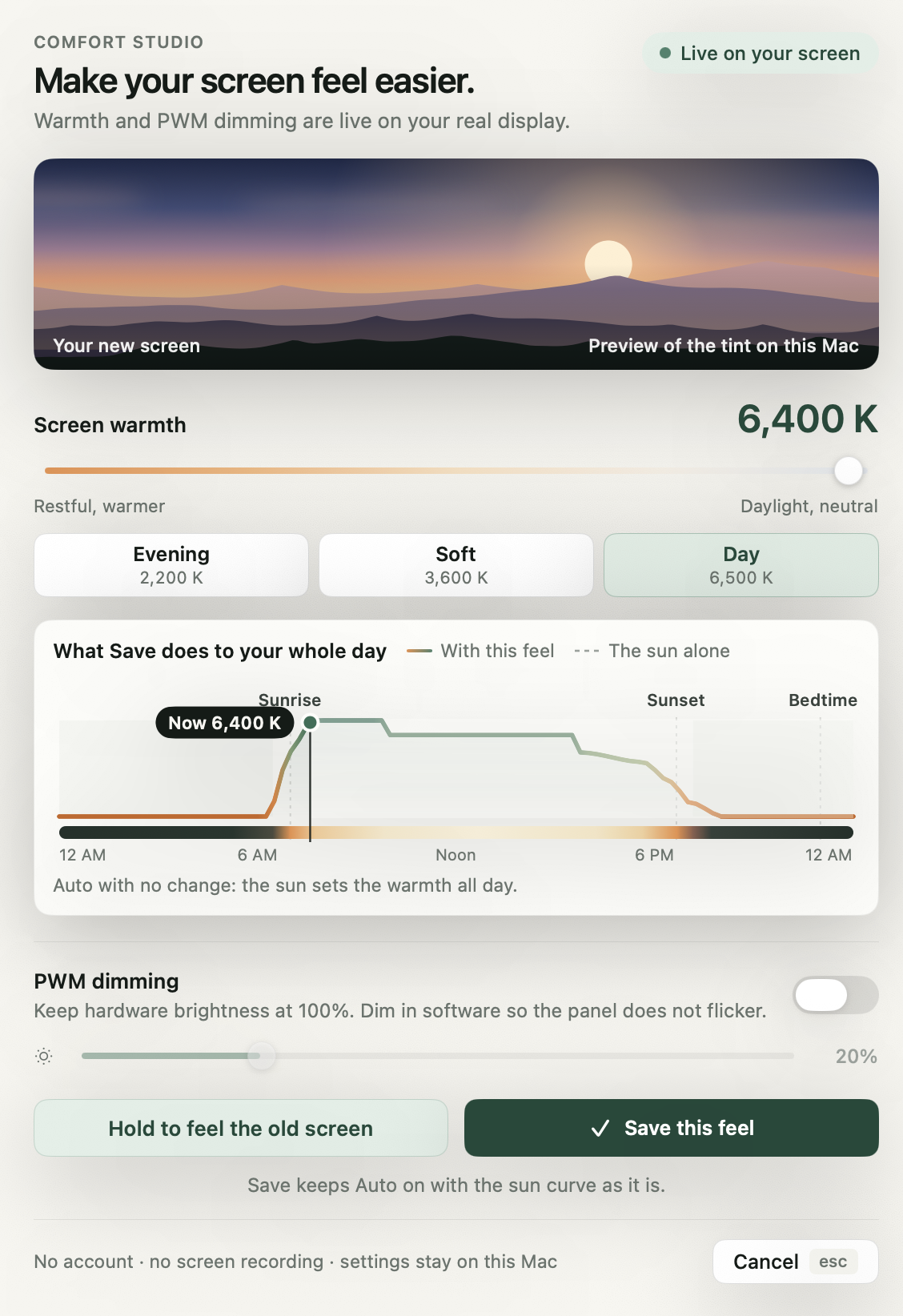
CircadianShield Pro handles the night side automatically on Mac and Windows. It follows the sun at your location and moves the whole screen from 6500K daylight white toward 1800K deep amber after sunset, and its Reading mode pairs deep warmth with lower brightness. Core includes manual screen warmth and software dimming without the solar schedule. It does not change your app's background colour; it changes the colour and brightness of everything on the display, so any theme you choose becomes warmer and dimmer at night.
A five-minute setup for comfortable screen colors
- Match brightness to the roomHold a sheet of white paper next to the screen. The white on the screen should look about as bright as the paper.
- Pick an off-white or light grey backgroundMost apps and browsers offer a theme or reader mode with a softer white.
- Use near-black textCheck contrast with any WCAG contrast checker if a design looks washed out.
- Warm the screen after sunsetUse Night Shift, Windows Night light, or an automatic solar schedule.
- Switch to a dark grey theme in a dark roomUse off-white text, not pure white, and keep the brightness low.
Make every screen color easier at night
CircadianShield Pro follows the sun to warm and dim your whole display after sunset, with Reading, Coding and Dark modes on Mac and Windows.
Buy ProPro is $47 one-time, Core is $27 one-time, up to 2 computers, 30-day money-back guarantee.
Best screen color for eyes: frequently asked questions
What background color is best for your eyes?
For most people in a lit room, an off-white or light grey background with near-black text is easiest to read. In a dark room, a dark grey background with off-white text cuts total light. Contrast and brightness matter more than the exact colour.
What screen color is best for eyes at night?
At night, warm the whole screen toward amber and lower the brightness. A dark grey theme with off-white text works well in a dark room. Avoid pure white pages at full brightness late at night.
Is a green background good for your eyes?
Not especially. The eye is most sensitive to yellow-green light, which is why green is often called restful, but a green page is only comfortable if the text contrast is high and the green is soft rather than saturated.
Is black text on white best for eyes?
Dark text on a light background is read faster and more accurately in normal lighting, according to research on display polarity. Pure white at full brightness can cause glare, so off-white or light grey is a better choice for long sessions.
Does changing screen color reduce eye strain?
It helps a little when it raises contrast or cuts glare. Most digital eye strain comes from focusing for long periods, blinking less, and a screen that is too bright or too dim for the room. Pair better colours with matched brightness and regular 20-20-20 breaks.