Quick answer: which PWM frequency is safe?
There is no single safe number, because risk depends on frequency and on how deeply the light dips each cycle. IEEE Std 1789-2015, the flicker standard most reviewers use, calls flicker low risk above 1250 Hz at any depth, and below 1250 Hz only if the modulation depth stays under 0.08 times the frequency. A screen that switches fully off at 240 Hz is far outside that line. A screen at 1920 Hz is inside the low-risk region, and 3840 Hz is above the 3000 Hz point where the standard expects no observable effect at all.
What a PWM frequency number actually measures
A PWM (pulse-width modulation) display dims by switching its backlight, or its OLED pixels, on and off very fast. The frequency is how many of those on and off cycles happen each second. At 240 Hz the light goes dark 240 times a second. At 3840 Hz it does so 3,840 times.
The second number, the one spec sheets rarely print, is modulation depth: how far the light falls during each off phase. A panel that drops to zero has 100 percent modulation. A panel that only dips by a quarter has 25 percent. Depth usually grows as you lower the brightness slider, which is why many people feel worse at night with the screen turned down. Our complete PWM flicker guide covers the mechanism in detail.
PWM frequency is also not the refresh rate. A 120 Hz or 240 Hz refresh rate is how often the picture changes. A 240 Hz gaming monitor can have no PWM at all, and a 60 Hz office laptop can pulse its backlight at a few hundred hertz. When a search result says "240Hz is better for your eyes", check which of the two it means.
The IEEE 1789 limits, frequency by frequency
IEEE Std 1789-2015 was written for LED lighting, and display reviewers borrowed it because nothing better exists for screens. It defines two lines. The low-risk line is where adverse effects become unlikely. The no observable effect line is stricter.
| PWM frequency | Low-risk modulation limit | No-observable-effect limit | A panel that switches fully off |
|---|---|---|---|
| 60 Hz | 1.5% (0.025 x f) | 0.6% | Far outside both. Visible flicker for many people. |
| 240 Hz | 19.2% (0.08 x f) | 8.0% | About five times past the low-risk line. |
| 480 Hz | 38.4% | 16.0% | Still past the low-risk line. |
| 1000 Hz | 80% | 33.3% | Just outside low risk at full depth. |
| 1920 Hz | No limit (above 1250 Hz) | 64% | Low risk, though not yet "no effect". |
| 3840 Hz | No limit | No limit (above 3000 Hz) | Inside both regions. |
The formulas are 0.025 times frequency below 90 Hz and 0.08 times frequency from 90 to 1250 Hz for low risk, and 0.0333 times frequency from 90 to 3000 Hz for no observable effect. A 100 percent dip is the worst case. If a reviewer reports both frequency and depth, you can place any screen on this table yourself.
Is 240 Hz PWM bad?
For most people, 240 Hz PWM goes unnoticed. For people who are sensitive to flicker, it is the frequency most often named in forum threads about headaches, eye strain and nausea, because many OLED phones and some laptops have dimmed at 240 Hz with deep modulation at low brightness. On the IEEE table it sits well outside the low-risk region once depth passes about 19 percent, and at the bottom of the brightness slider it can approach 100 percent.
That does not mean 240 Hz will hurt everyone, and the standard does not claim it does. It means that if you already get symptoms from screens, a 240 Hz PWM panel at low brightness is a strong suspect and worth testing before you blame anything else.
What 1920 Hz, 2160 Hz and 3840 Hz PWM mean
Several phone and laptop makers now advertise "high-frequency PWM dimming" at 1920 Hz, 2160 Hz, 3840 Hz or higher. These numbers are a real improvement. At 1920 Hz a panel is above the 1250 Hz low-risk threshold even at full depth. At 3840 Hz it clears the 3000 Hz no-observable-effect threshold too.
Two caveats are worth knowing before you buy on the number alone:
- The headline rate may only apply to part of the brightness range. Some panels use one frequency at high brightness and a lower one near the bottom of the slider. Look for a measurement at low brightness, not only the marketing figure.
- Frequency is not the only flicker source. Temporal dithering, the trick that fakes extra colour depth by alternating pixel values, can bother some people on panels with no PWM at all. Our PWM guide explains how to tell the two apart.
Low PWM rate vs high PWM rate on the same screen
A "low PWM rate" in a review usually means a frequency under roughly 500 Hz. A "high PWM rate" usually means above 1250 Hz. On a single screen the rate is fixed by the panel and its firmware, and neither macOS nor Windows has a setting for it. What you can change is how deep the dips go, because depth follows the brightness slider.
On many PWM panels, the backlight stays on continuously, or close to it, at the top of the brightness range. Set hardware brightness to 100 percent and the duty cycle is full, so the dips shrink or disappear. The catch is obvious: the screen is then far too bright for a dim room. That is the gap software dimming fills.
How to find your screen's PWM frequency
- 1. Look up a measured reviewNotebookcheck measures PWM frequency for most laptops and many phones and monitors it reviews, and lists the brightness level where flicker starts.
- 2. Run a camera testLower the brightness, point a phone camera at the screen and look for dark bands, or use slow-motion video. Our five-step PWM flicker test walks through it.
- 3. Compare low and high brightnessIf bands appear at 30 percent and vanish at 100 percent, the panel uses PWM below a threshold, and keeping hardware brightness high will help.
What helps if your screen uses low-frequency PWM
You cannot change the panel's frequency, so the practical goal is to keep modulation depth low. Raise hardware brightness to the point where the camera test shows no bands, then dim the picture in software. CircadianShield Core handles the second half on Mac and Windows: you set hardware brightness to 100 percent yourself, and Core dims the image with a software slider (5 to 65 percent on Mac, 5 to 85 percent on Windows), so the screen looks dim while the backlight stays steady. It also warms the screen in the same app.
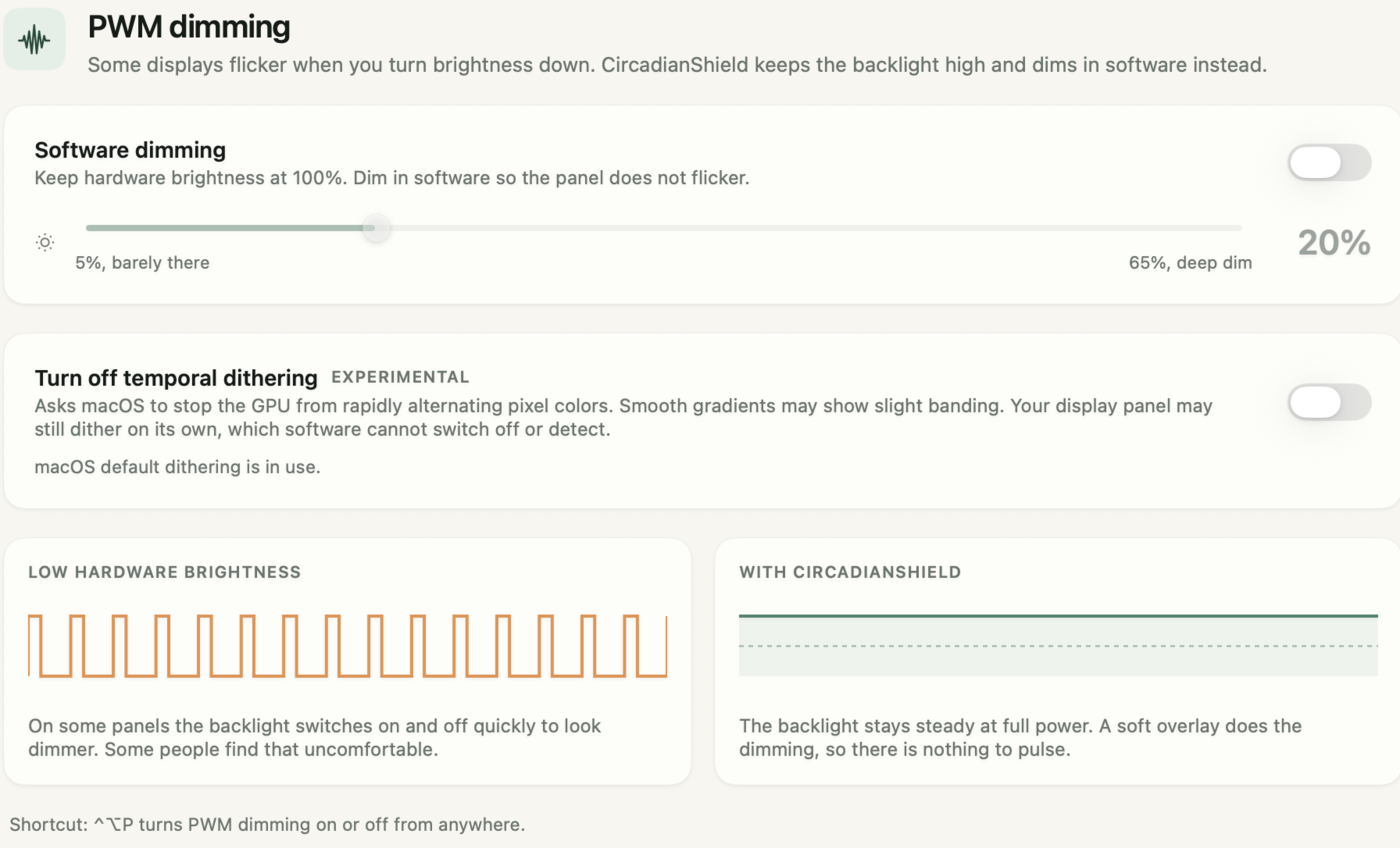
Software cannot fix a panel that flickers at full brightness. If your camera test still shows bands at 100 percent, the honest answer is a different display, ideally one with a measured PWM frequency above 1250 Hz or none at all. Our list of flicker-free monitors is a starting point.
Example: what a 240 Hz review number means in practice
- A review lists a laptop at 240 Hz PWM with 100 percent modulation below 50 percent brightness.
- At 240 Hz, one on-off cycle lasts 1,000 divided by 240, about 4.2 milliseconds.
- At 30 percent brightness the backlight is on for about 30 percent of each cycle, roughly 1.3 milliseconds, and fully off for about 2.9 milliseconds.
- At 100 percent hardware brightness the duty cycle is full, so the off periods shrink to nothing on most panels.
- Set hardware brightness to 100 percent and use a software dimmer at 40 percent: the picture looks as dim as 40 percent brightness while the backlight stays out of its deep PWM range.
Keep the backlight steady on the screen you already own
Set hardware brightness to 100 percent, then let CircadianShield Core dim the picture in software, with screen warmth in the same app, on Mac and Windows.
Buy CoreCore is $27 one-time, Pro is $47 one-time, up to 2 computers, 30-day money-back guarantee.
PWM frequency: frequently asked questions
Is 240 Hz PWM bad for your eyes?
240 Hz PWM is a common trigger for flicker-sensitive people, especially at low brightness where the light can switch almost fully off each cycle. IEEE Std 1789-2015 puts the low-risk limit at 240 Hz at about 19 percent modulation depth, so a deeply modulated 240 Hz panel is well outside it. Many people never notice it, but if you get headaches or eye strain from a screen, 240 Hz PWM is worth testing for.
What does 3840 Hz PWM mean?
3840 Hz PWM means the panel switches its light on and off 3,840 times a second to dim. That is above the 3000 Hz point where IEEE Std 1789-2015 expects no observable effect at any modulation depth, so it is among the gentlest PWM rates in use. Check that the rate applies at low brightness too, because some panels change frequency across the slider.
What PWM frequency is considered safe?
Above 1250 Hz, IEEE Std 1789-2015 treats flicker as low risk regardless of depth, and above 3000 Hz as having no observable effect. Below 1250 Hz, the safe depth scales with frequency: 0.08 times the frequency for low risk. Sensitivity varies a lot between people, so treat these as guides rather than guarantees.
Is a 240Hz monitor the same as 240 Hz PWM?
No. A 240Hz monitor refreshes the picture 240 times a second. 240 Hz PWM means the backlight switches on and off 240 times a second to dim. A high refresh rate monitor can dim without PWM, and a 60Hz screen can still use low-frequency PWM.
Can I change my screen's PWM frequency?
Almost never. The rate is set by the panel and firmware, and macOS and Windows have no setting for it. You can reduce modulation depth by keeping hardware brightness high and dimming the picture in software, which CircadianShield Core does for $27 one time on Mac and Windows.
What is a low PWM rate?
Reviewers usually call a PWM rate low when it is under about 500 Hz, and high when it is above 1250 Hz, the IEEE low-risk threshold. Low rates combined with deep modulation at low brightness are the combination most flicker-sensitive people report trouble with.