A note before you start: CircadianShield is a wellness app, not a medical device, and nothing here diagnoses or treats any condition. Light sensitivity can be a symptom of migraine, dry eye, a concussion, eye inflammation or other conditions. If it is new, severe, getting worse, or comes with pain, redness or vision changes, see an eye doctor or clinician. What follows is comfort configuration.
Quick answer: the best screen settings for sensitive eyes
Match screen brightness to the room instead of turning it right down, keep contrast moderate, light the room so the screen is not the brightest thing you see, warm the colour in the evening, cut glare, and check for PWM flicker. If a dim screen bothers you more than a bright one, flicker is a likely cause: keep hardware brightness high and dim in software instead.
Brightness: match the room, do not just turn it down
Light-sensitive eyes are bothered by a screen that is much brighter than its surroundings. The fix is to bring the two closer together. Hold a sheet of white paper next to the screen: the white on screen should look about as bright as the paper. In a dark room, add a lamp behind or beside the screen rather than pushing the screen to its minimum. CircadianShield's guide to monitor brightness and eye strain covers this in more detail.
Flicker: why a dim screen can feel worse
Many laptops, phones and some monitors lower brightness with pulse-width modulation (PWM), switching the backlight on and off rapidly. The lower the brightness, the deeper and often slower the pulses. Many people who describe themselves as light sensitive are reacting to this flicker rather than to the amount of light. If your eyes feel worse at low brightness, test the screen with a phone camera as described in our PWM flicker test.
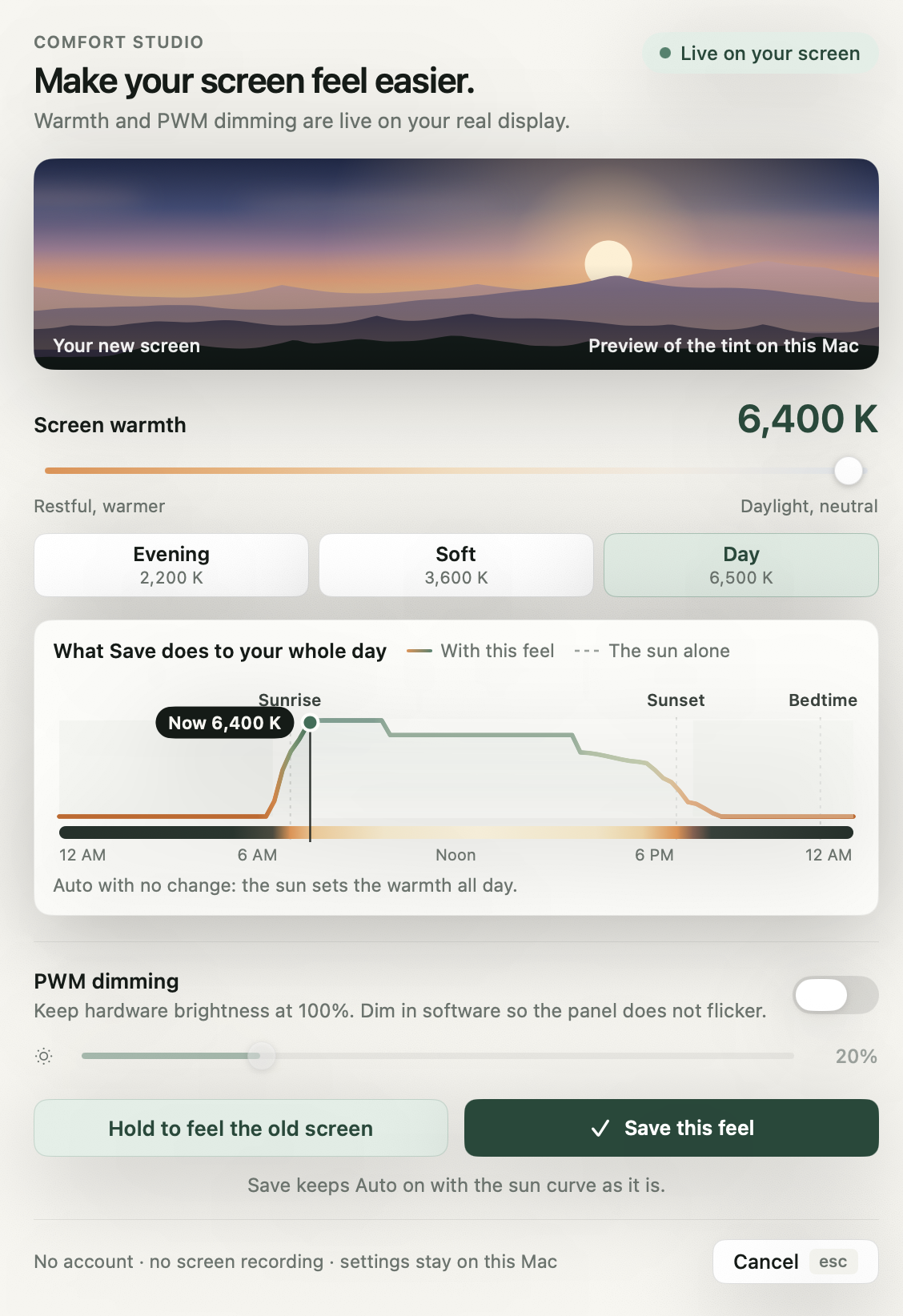
If it flickers, set the hardware brightness high yourself, where PWM dips are shallowest, and dim the picture in software. CircadianShield Core does that software dimming on Mac and Windows, with a slider from 5 to 65 percent on Mac and 5 to 85 percent on Windows. See our PWM flicker guide for which screens use it and what PWM frequency is safe for reading review numbers.
Contrast and theme
- Keep contrast moderate. Monitor contrast around 60 to 70 percent is a common comfort setting. Very high contrast can feel harsh.
- Avoid pure white pages at full brightness. Off-white or light grey backgrounds cut glare. Muted pairs such as dark grey on cream are easier than pure black on bright white; CircadianShield's guide to the best screen and background color for your eyes lists comfortable pairs.
- Try dark mode in a dim room. Many light-sensitive people prefer it at night, with off-white text rather than pure white. See dark mode and eye strain.
- Make text bigger. Larger text lets you sit back and stop squinting.
Colour: warmer is often easier
Many people with sensitive eyes find a warmer screen more comfortable, especially in the evening and in dim rooms. Research groups studying migraine and light have reported that blue and white light tend to feel worse to people during migraine than narrow-band green light, though individual responses vary. A warmer white point lowers the blue end of the screen's light and softens glare. Try a gentle warmth during the day and stronger warmth after sunset.
Glare and the room
- Position the screen so windows are to the side, not behind or in front of you.
- Use a matte screen or an anti-glare filter if reflections bother you.
- Replace harsh overhead lights with softer, indirect lighting where you can.
- Tilt the screen slightly to move reflections out of your line of sight.
Breaks and blinking
Sensitivity often builds over a long session. The 20-20-20 rule (every 20 minutes, look at something 20 feet away for 20 seconds) gives your eyes a regular reset, and deliberate blinking helps if your eyes also feel dry.
Tinted glasses
Some people with light sensitivity use tinted lenses, such as the rose-coloured FL-41 tint that has been studied for migraine and light sensitivity. If you are considering them, ask an eye doctor, because wearing dark tints indoors all the time can make some people more sensitive over time.
A comfort setup you can try today
- Test for flickerPhone camera at low brightness. Bands mean PWM.
- Set hardware brightness to match the roomIf it flickers, set it high and dim in software.
- Add a lampNever use a bright screen in a dark room.
- Soften the pageOff-white background, moderate contrast, larger text.
- Warm the screenMild during the day, stronger after sunset.
- Take breaks20-20-20, and blink.
Example: a 14-inch laptop in a dim room in the evening
- Room lit by one lamp, about 50 lux. The screen at its default 60 percent brightness feels harsh.
- A phone camera test shows bands at 40 percent brightness and none at 100 percent, so the panel uses PWM.
- Set hardware brightness to 100 percent and a software dimmer to 30 percent, so the white page roughly matches a sheet of paper next to the screen.
- Warm the screen to about 3400K after sunset, and switch to dark mode with off-white text.
- Move the lamp behind the screen so the screen is not the brightest thing in view.
Dim without flicker, warm without guesswork
CircadianShield Core dims the picture in software, so you can keep hardware brightness high, and adds screen warmth on Mac and Windows.
Buy CoreCore is $27 one-time, Pro is $47 one-time, up to 2 computers, 30-day money-back guarantee.
Light-sensitive eyes and screens: frequently asked questions
What monitor setting is best for sensitive eyes?
Match brightness to the room, keep contrast moderate (around 60 to 70 percent), use an off-white background, warm the colour in the evening, and check for PWM flicker. If your screen flickers, set hardware brightness high and dim in software.
Why does a dim screen hurt my eyes more?
Many screens lower brightness by flickering the backlight with PWM, and the flicker gets deeper at low brightness. Test with a phone camera. If you see bands, keep the hardware brightness higher and dim in software instead.
Is dark mode better for light-sensitive eyes?
Often in a dim room, yes, as long as text is off-white rather than pure white. In a bright room, a soft light theme can be easier. Try both and pay attention to how your eyes feel after an hour.
Can screen settings help with migraine?
Comfort settings like matched brightness, less flicker, warmer colour and fewer reflections can make screens easier to use, but they do not treat migraine. CircadianShield is a wellness app, not a medical device. Talk to a clinician about migraine treatment.
Is there software that helps with light sensitivity on a computer?
Software can dim the picture without lowering backlight brightness, warm the colour, and remind you to take breaks. CircadianShield Core does software dimming and warmth on Mac and Windows for $27 one time. It is a comfort tool, not a treatment.